How do I set up a class and give it work?
Classes are free for teachers.
- Create your teacher code on the Teachers page, if you have not yet.
- On your teacher dashboard, under Your classes, give the class a name and tap Create class.
- Share the class's join link with your students. They open it, log in or sign up, and tap Join the class.
Joining shares a student's mocks, practice results and last activity with you. Students who join with your link also get your teacher code, and 10% off their first pass with it.
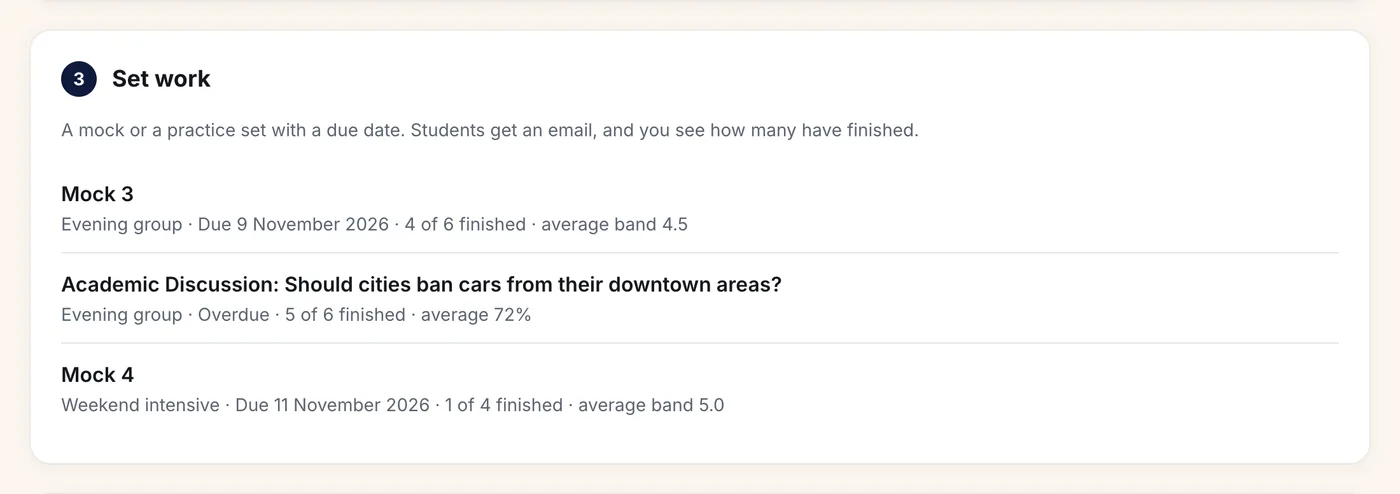
Set work. On the class page, pick a full mock or a practice set, a due date and an optional note, then tap Set and email the class. Students get an email and see the work on their dashboard with a Start button. You see how many have finished and their average result.
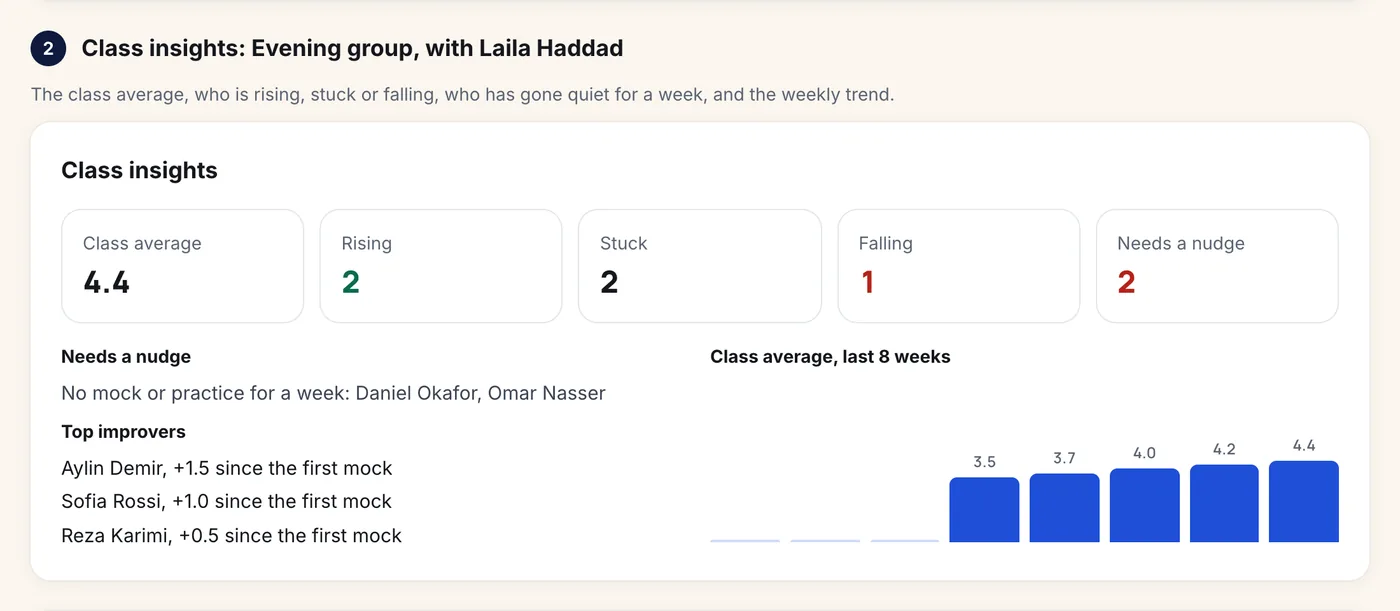
Follow the class. Every class page shows class insights: the class average, who is rising, stuck or falling, who has had no mock or practice for a week, the top improvers and the average over the last 8 weeks. Under it, each student has their latest band, trend, practice and last activity.
You can remove a student from a class, and students can leave a class from their dashboard. Closing a class stops its join link; students keep their own results.
To see all of this with made-up students first, open the sample school.
Still stuck? Email help@skorway.com and a person replies within one working day.