What the TOEFL 2026 test looks like on screen, task by task
The TOEFL iBT 2026 screen by screen: the top bar, Volume, Back and Next, what each of the 12 task types shows, how Speaking records, and what comes at the end.
Updated November 7, 2026 · 7 min read
The short answer
The TOEFL® iBT is a full-screen test with one bar across the top and the task below it. The bar shows the section, the question number, a Volume button, the clock for the part you are in, and Next; Reading also has Back, Listening never does. Reading passages and Writing prompts sit on the left with the question or the writing box on the right. Listening shows a picture of the speakers while the recording plays, then the question. Speaking shows the interviewer or the speaker, and a countdown while your answer records by itself. The screens below are from Skorway's mock, which is built to the same layout, so you can see each one before test day.
The top bar
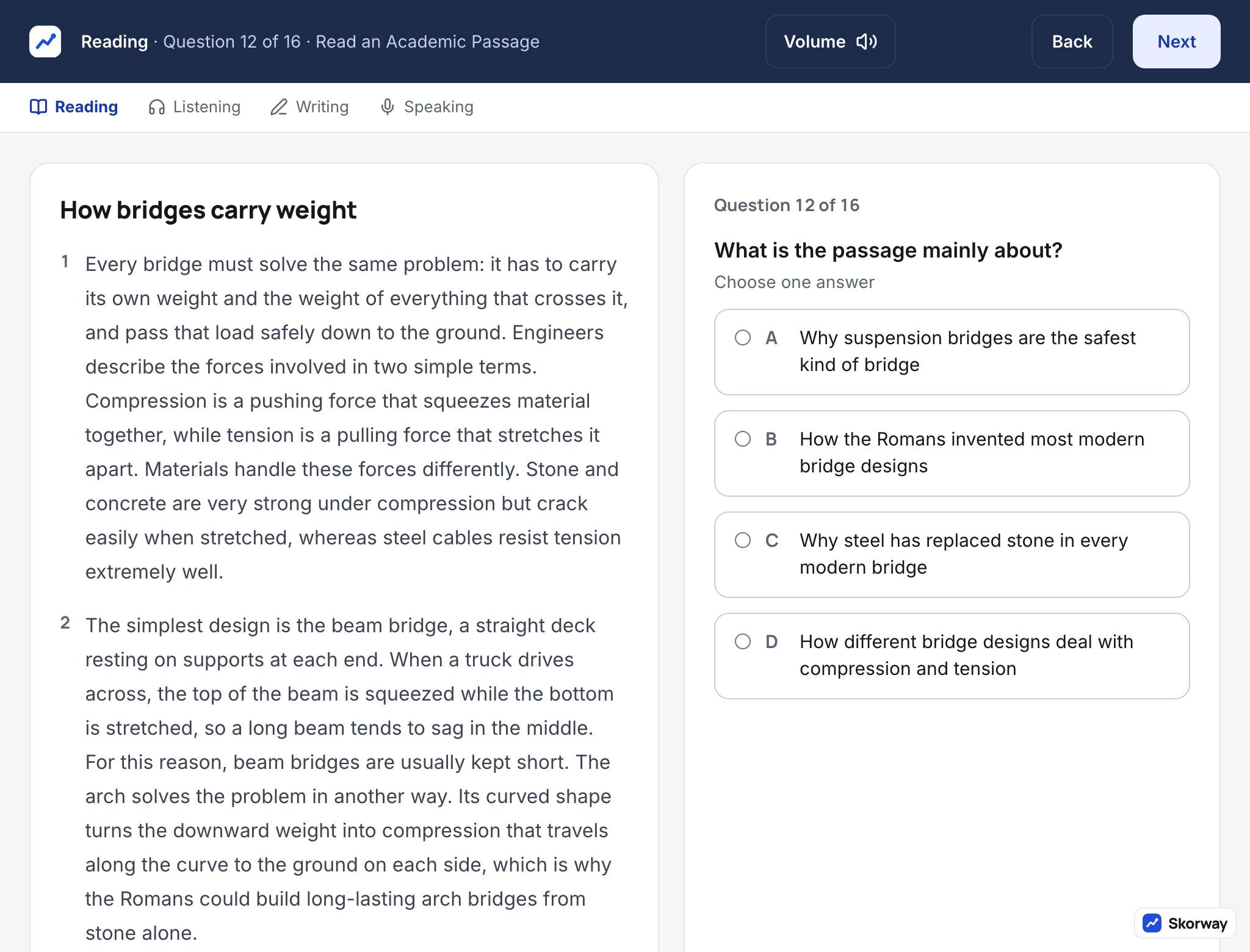
Everything you control during the test is in the bar:
- The section, the question number and the task name tell you where you are.
- Volume opens a slider. It changes the sound at once, even in the middle of a recording, so set it on the first directions screen of Listening, while nothing that counts is playing.
- The clock counts down the time left in the part. When it reaches zero, the part ends with the answers you have given.
- Next moves on. In Listening and Speaking it is final; there is no way back to a question.
- Back appears in Reading only, and only inside the part you are in. Once the second Reading part starts, the first is closed.
The screens in this guide were captured without the clock running; in the mock it sits next to Volume and turns orange in the last minute.
Reading: three screens
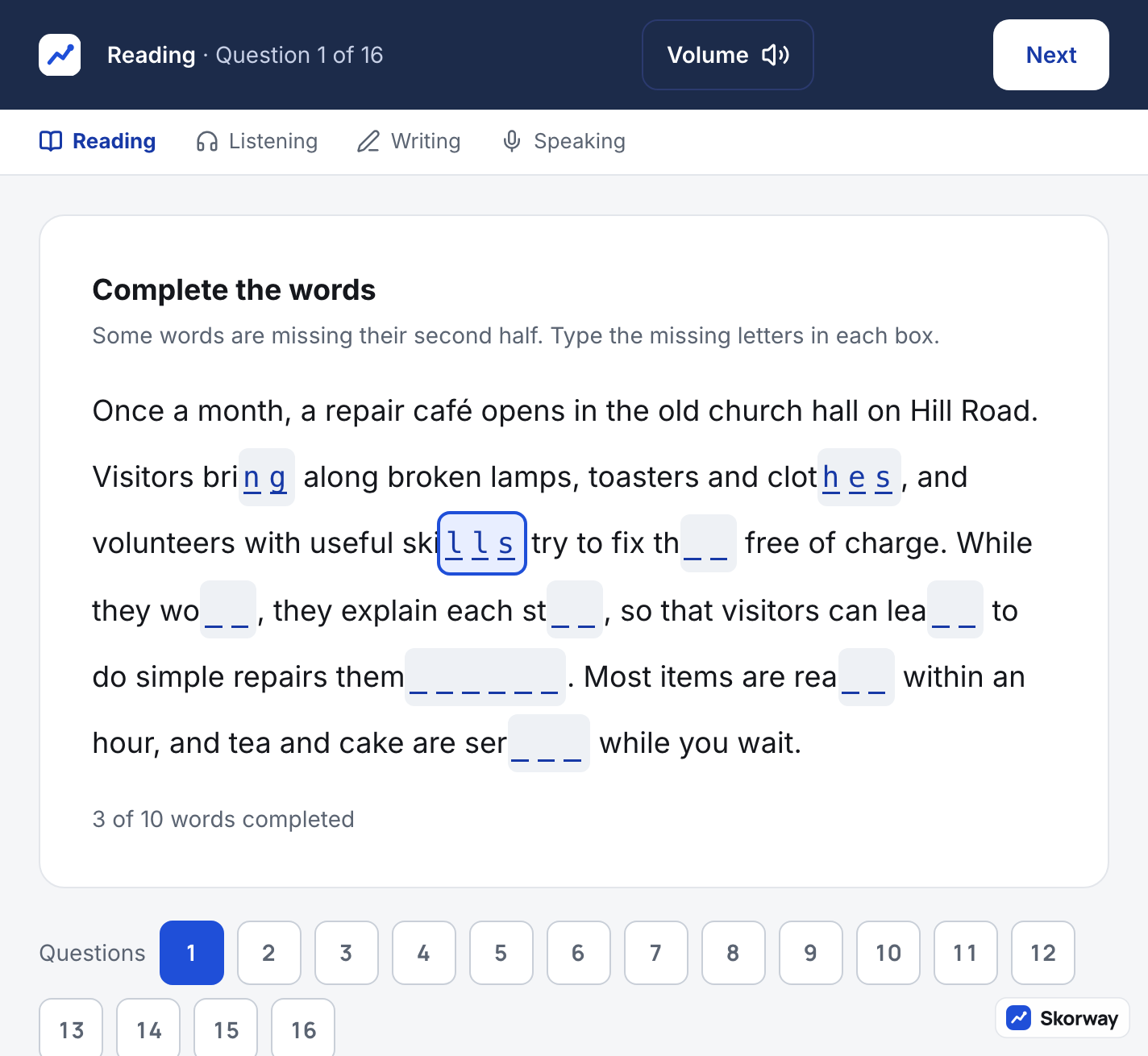
Complete the Words is one paragraph with a box for each missing letter. You type the missing letters straight into the gaps. The first sentence is complete; the gaps start after it.
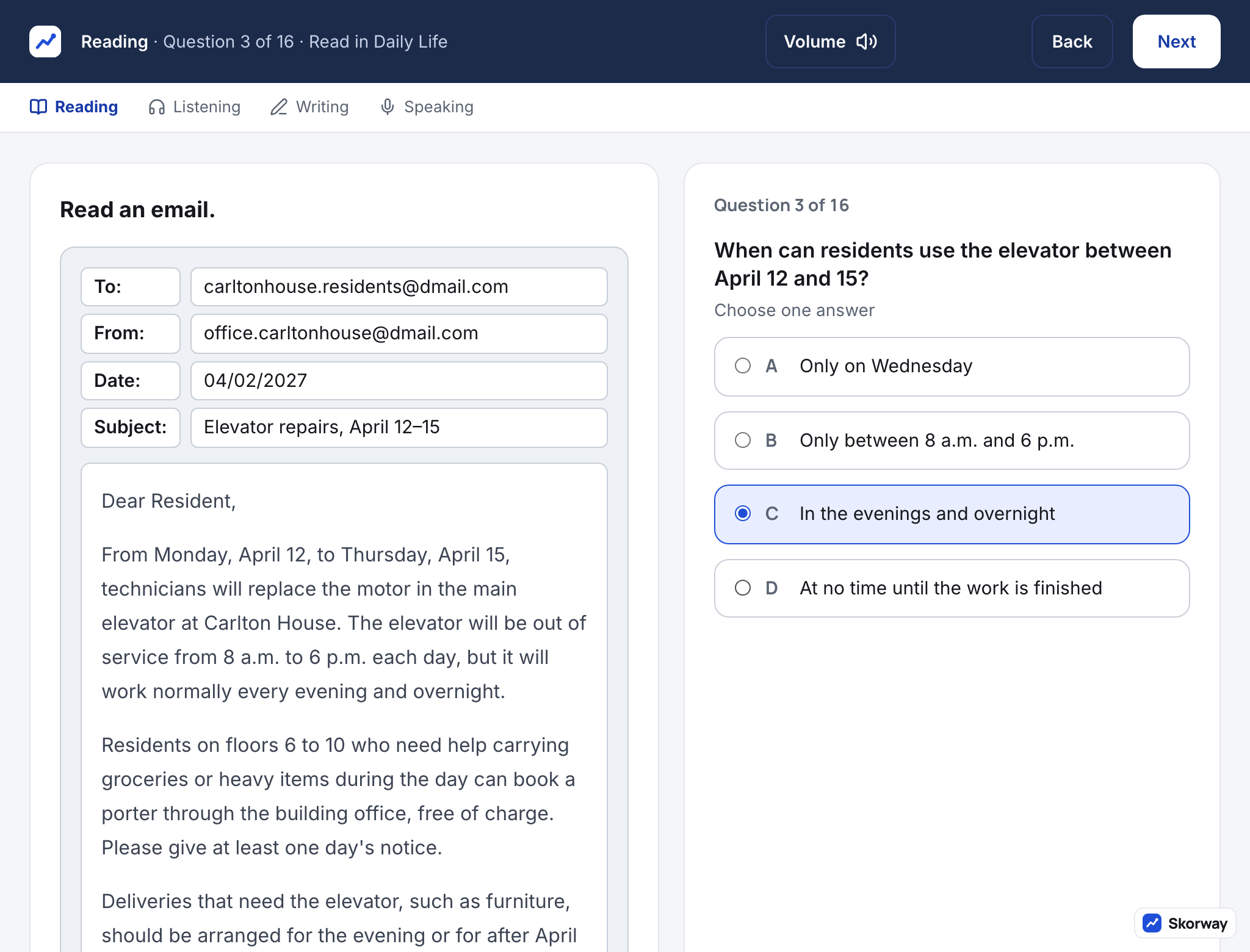
Read in Daily Life shows a short real-world text, an email, a notice, a menu, a schedule, laid out as that thing would look, with one question at a time beside it.
Read an Academic Passage, in the first screenshot above, shows the passage on the left with numbered paragraphs, and the question on the right. The passage stays on screen for every question, so you never need to remember it.
Listening: a picture, then the question
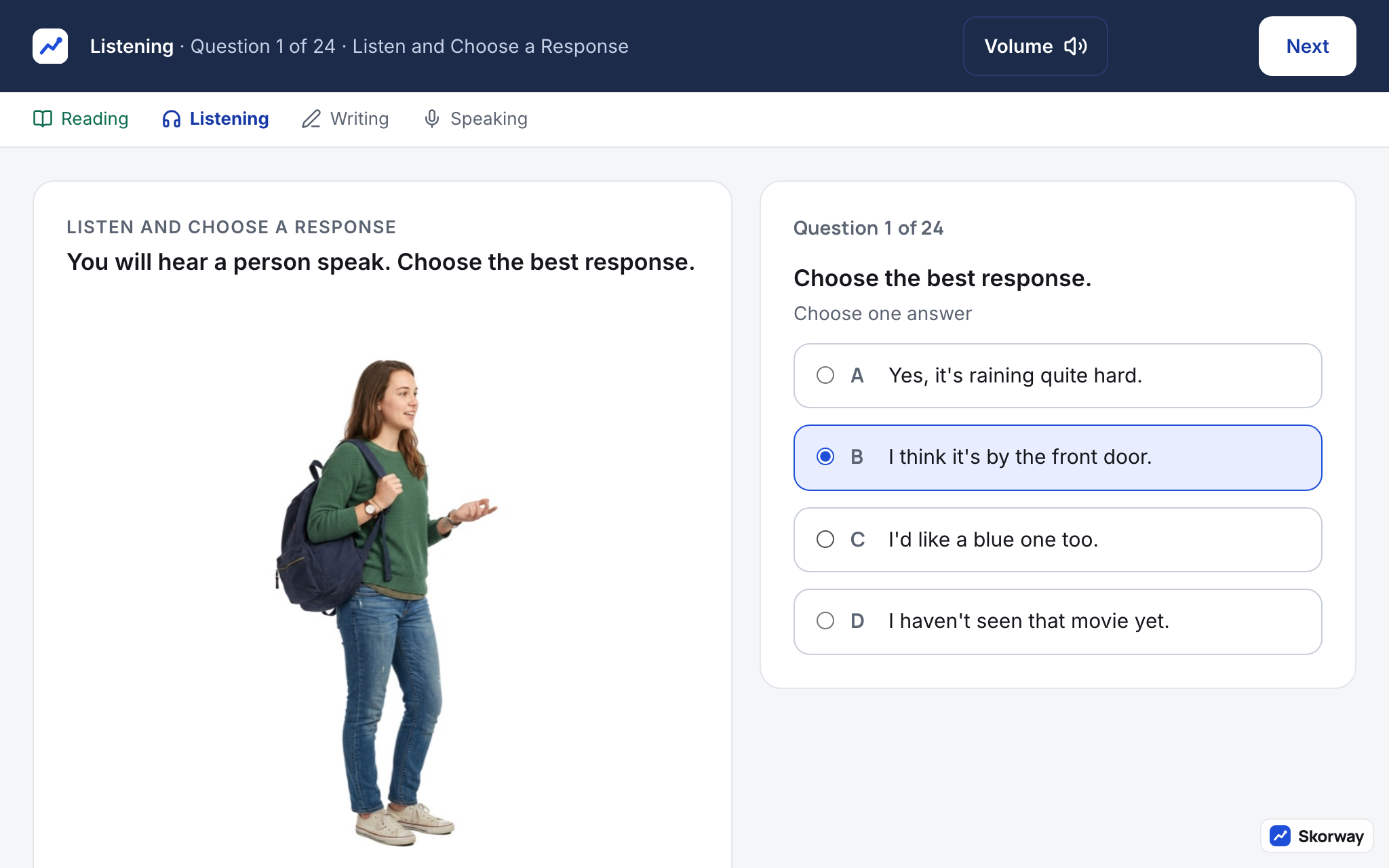
While a recording plays, the screen shows a picture of the speaker or the speakers and the task's instruction. There is no player: no pause, no progress bar, no replay. In Listen and Choose a Response the four written replies are on screen from the start, and you choose one when the line ends. In the other three tasks, Conversation, Announcement and Academic Talk, the questions appear only after the recording has finished, one at a time, each with its own clock.
Listening is where most first-timers are caught out by the screen rather than the English: you cannot read the question first, and Next cannot be undone. Our Listening questions guide shows what each question will ask.
Writing: three clocks
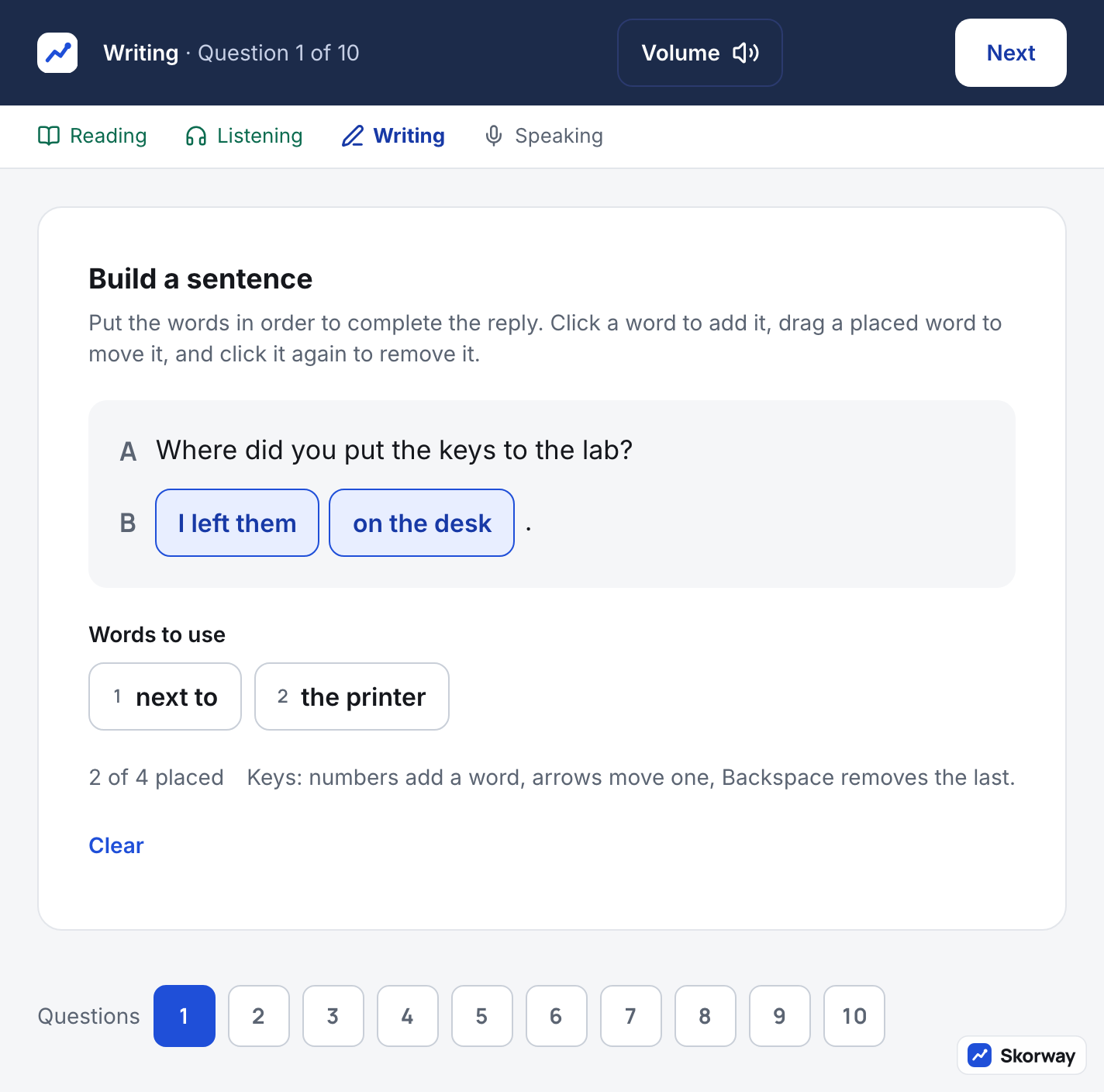
Build a Sentence shows speaker A's line, speaker B's reply as a row of blanks, and the word chunks below. You click a chunk to place it, and drag to change the order. The end punctuation is already in place.
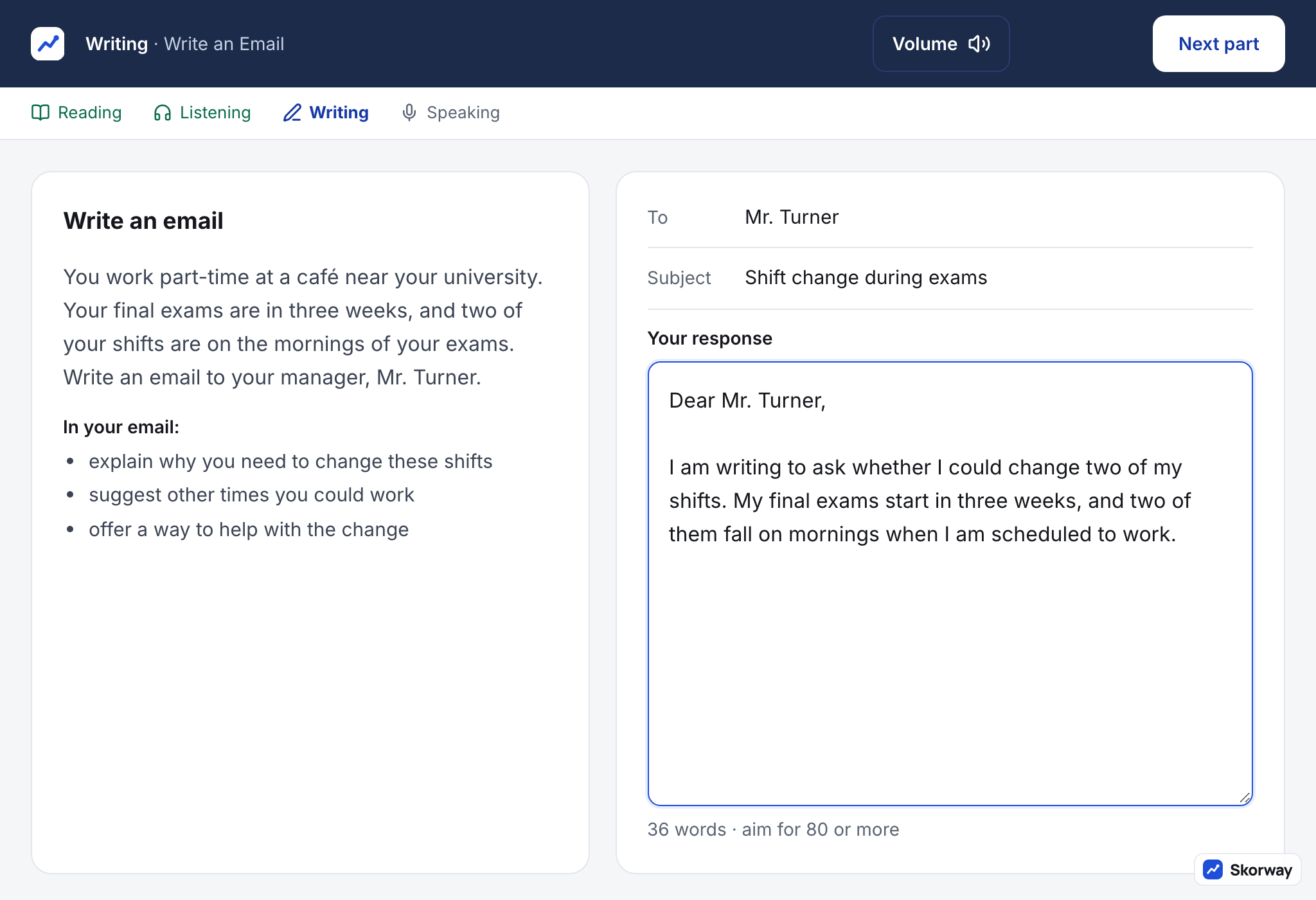
Write an Email puts the scenario and the three things the email must do on the left. On the right, the To and Subject lines are filled in, and you type the body in a plain text box: no spell check, no grammar check, no bold or bullets. A word count runs as you type.
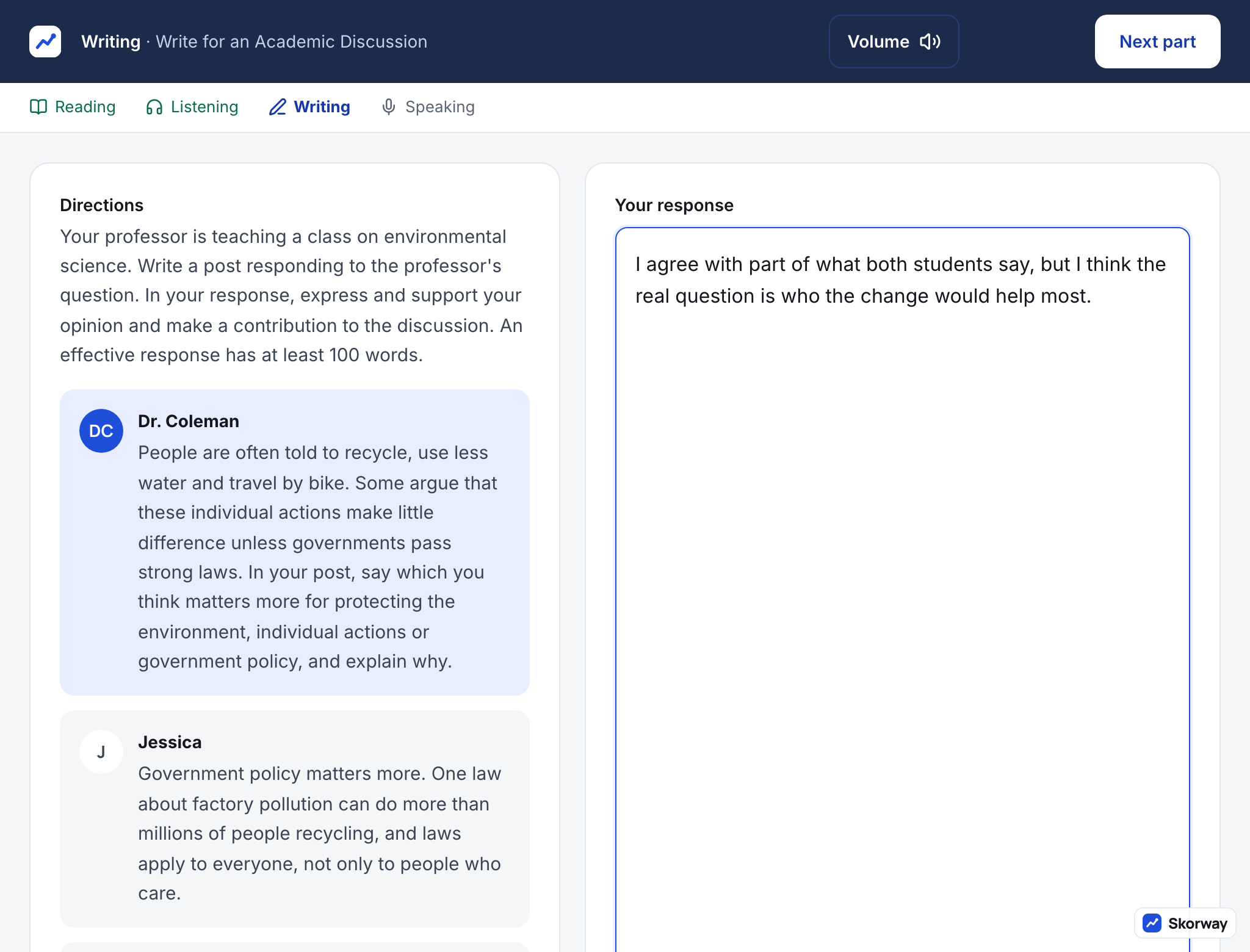
Write for an Academic Discussion shows the professor's question and the two students' posts on the left, and your box on the right.
Each Writing task has its own clock, about 6, 7 and 10 minutes. When one runs out, what you have typed is submitted, and the next task begins.
Speaking: you never press record
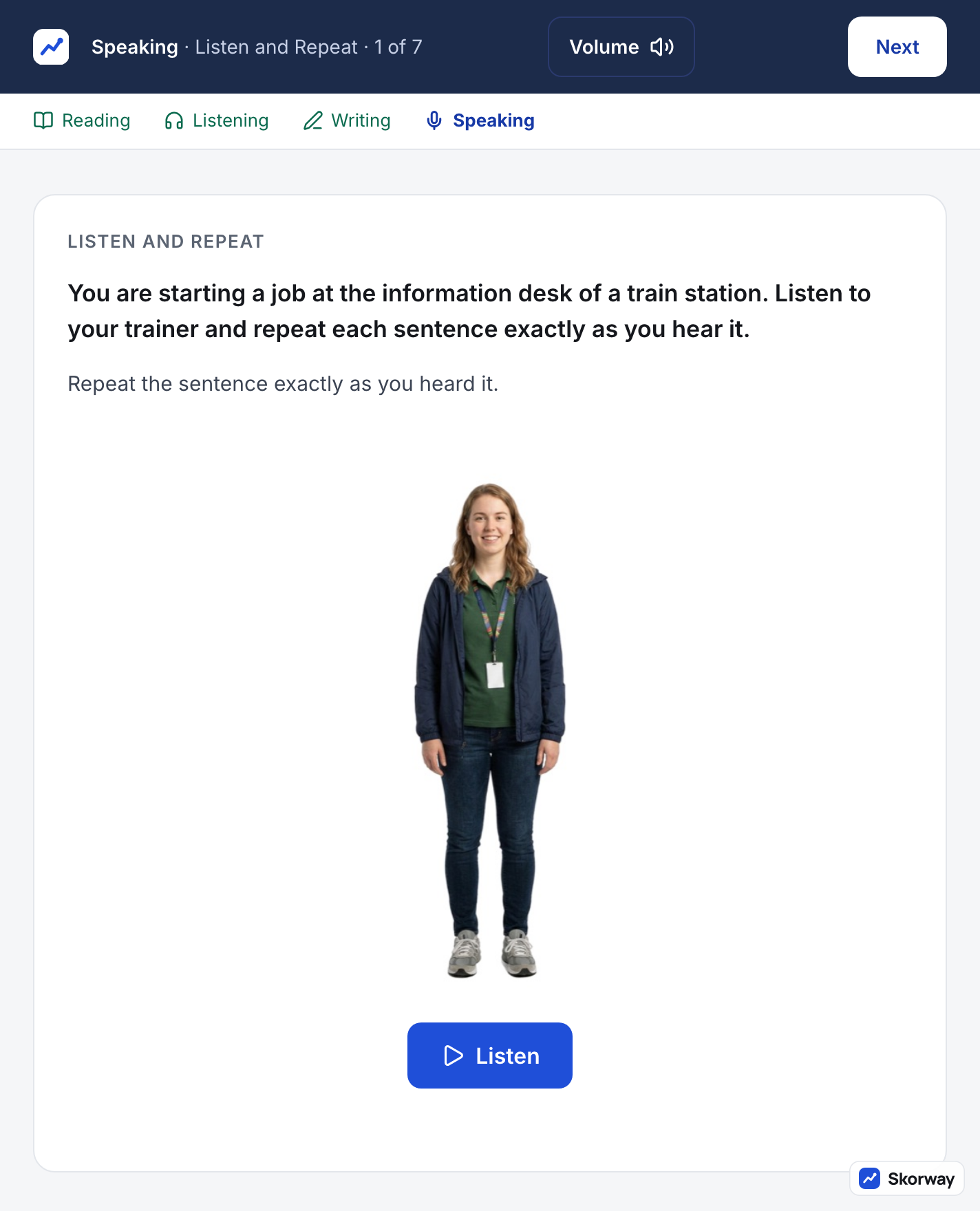
Listen and Repeat shows the place you are being shown around and the person training you. Each sentence plays once. When it ends, a countdown starts and your microphone records until it reaches zero; then the next sentence plays.
Take an Interview shows the interviewer, who speaks each question once on video. Recording starts as soon as the question ends, with no preparation time.
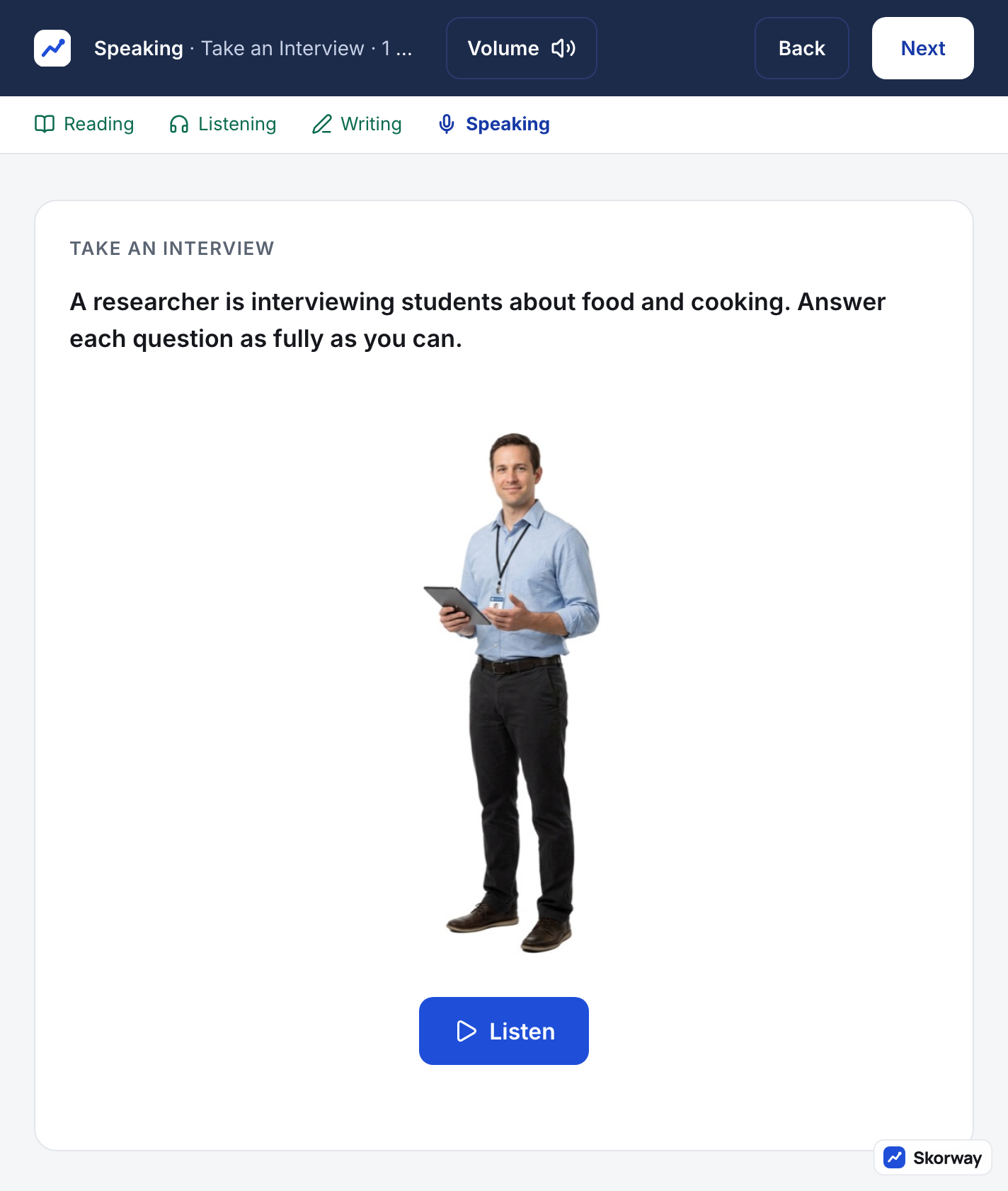
There is nothing to click in Speaking once it starts. The microphone check comes before the section; after that, the screen moves itself.
Before and after the screens that count
Before Reading, the test runs through check-in and equipment checks. At a center, staff check your ID, take your photo and seat you with a headset. At home, a proctor checks your ID and your room through the camera, and you use speakers and an open microphone instead of a headset. Each section starts with a directions screen that tells you the tasks and the time, and the clock starts after it.
At the end, your unofficial Reading and Listening bands appear on the screen. Writing and Speaking need scoring, and all four bands arrive in your ETS account about three days later.
Is the TOEFL Home Edition screen the same as at a test center?
Yes. The content, the screens and the timing are the same; only the check-in and the proctoring differ.
Can I go back to a question on the TOEFL?
In Reading, yes, within the part you are in. In Listening, Writing and Speaking, no: Next is final, and Speaking moves on by itself.
Is there a timer on the TOEFL screen?
Yes, in the top bar, counting down the time left in the part you are in.
Can I use a spell checker in TOEFL Writing?
No. The writing box is plain text, with no spelling or grammar help, so leave a minute to read your text back.
See every screen before test day
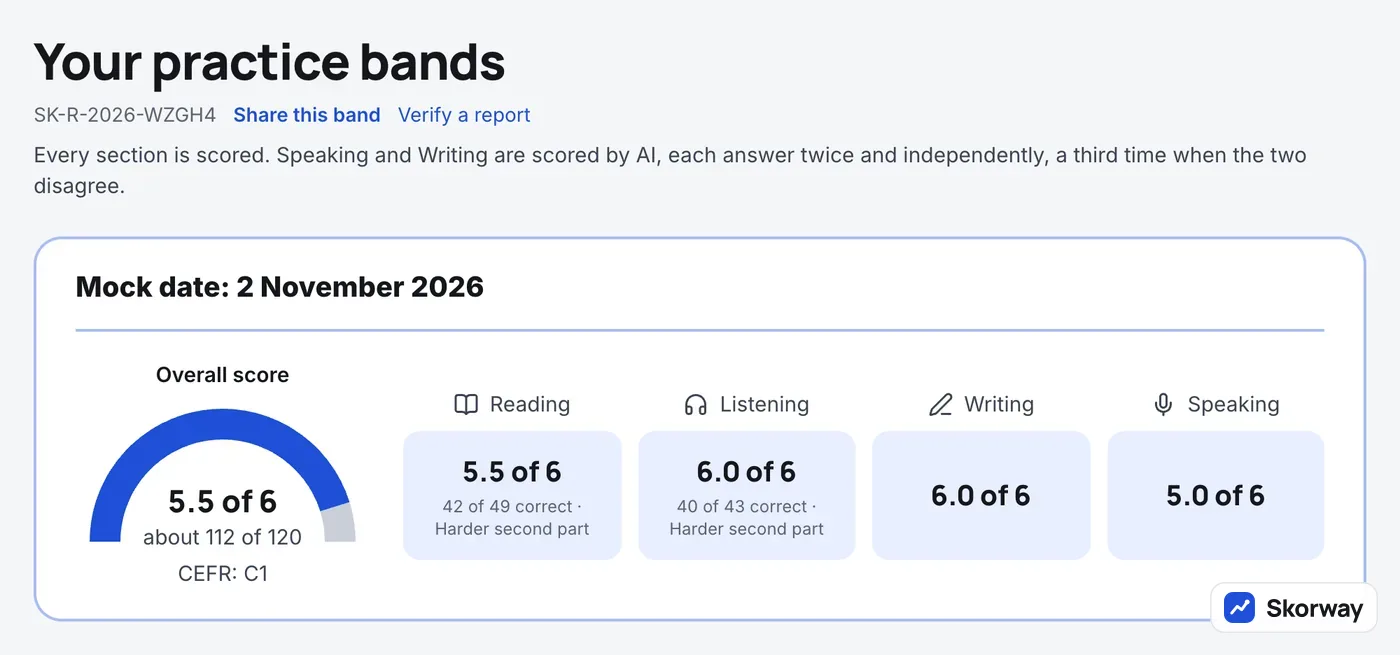
Reading about a screen is not the same as working on it. Skorway's free Test Tour is the whole 2026 test with these screens in this order, at your own pace: the top bar, Volume, spoken directions before each part and recordings that play once. You meet every one of the 12 task types once, so nothing on test day is new. The Tour has no clock and lets you go Back on every question; a mock has the real rules: Back in Reading only, the clocks for every part, and Speaking that records by itself after each question. A few minutes after you finish a mock you have a band from 1 to 6 for every section and overall, and every Writing and Speaking answer comes back scored with what to fix.
Correct for the TOEFL iBT as it runs on November 7, 2026. The screenshots are of Skorway's mock, not of the TOEFL test.